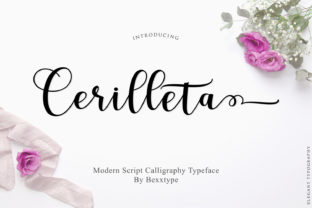
Integrating Cerilleta Script: A Practical Guide for Creators
When elevating a design project, the selection of typography is a decisive moment in the creative process. It’s a choice that moves beyond mere aesthetics to define tone, establish hierarchy, and communicate brand values. For designers, marketers, and entrepreneurs seeking a distinct, high-quality touch, the Cerilleta calligraphy script offers a powerful asset. This handmade font provides an inherently upscale and chic look, but its true value is realized through thoughtful integration into a professional workflow. Understanding how to deploy Cerilleta Script effectively—from preparation to final output—is key to achieving consistent, polished results.
The Role of Specialty Typography in a Design Process
Every design or branding project follows a structured sequence, from initial concept and mood boarding to asset creation and final implementation. Typography decisions typically occur after core visual elements like color palette and logo form are established, but before detailed layout work begins. Introducing a calligraphy script like Cerilleta at this stage serves a specific purpose: it acts as an accent or highlight element. Unlike a primary body font chosen for readability and versatility, an ornate script is best used for moments that require emphasis, elegance, or a personal touch.
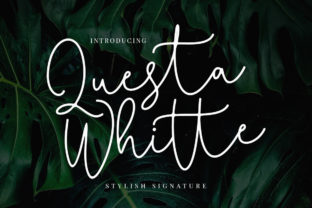
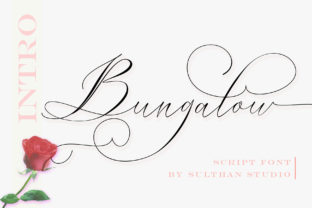
Consider Cerilleta Script not as a foundational tool, but as a finishing tool. Its handwritten character brings a human, artisanal quality to digital designs. This makes it exceptionally suitable for headlines on websites, logotypes for boutique businesses, elegant invitations, premium product packaging, or standout social media graphics. Its integration is less about replacing your entire font library and more about complementing it with a signature flourish.
Preparing for Successful Implementation
Before embedding Cerilleta Script into your assets, a few preparatory steps ensure compatibility and smooth execution. First, assess the technical requirements of your project. Ensure the font files are properly installed in your design software—whether Adobe Creative Suite, Canva, or another platform. Check licensing terms to confirm usage rights for your intended applications, such as commercial web use or print production.
Next, conduct a visual compatibility test. Pair Cerilleta Script with your chosen primary sans-serif or serif font. Does the combination create a harmonious contrast? The ornate flow of Cerilleta often works best alongside clean, minimal typefaces. Create a small style tile or reference board showing this pairing alongside your color scheme. This simple preparatory act prevents disjointed designs later and solidifies how the script will function within your visual system.
Organization is crucial for long-term use. If you manage multiple brands or client projects, consider creating a dedicated digital folder for “Accent Fonts” where you store Cerilleta along with its licensing documentation and pairing examples. This makes it a readily available resource for future projects, streamlining your workflow.
Workflow Integration: Specific Use Cases and Examples
Let’s examine practical scenarios where Cerilleta Script can be woven into common creative and business processes.
For a small business owner launching a luxury product, the process might involve website development, packaging design, and social media campaign creation. After selecting core brand fonts, the designer would reserve Cerilleta Script for the product name on the packaging label and for key hero headlines on the website’s landing page. This creates a consistent, premium signature across touchpoints. The implementation happens during the asset creation phase, with the designer applying the script to specific, pre-defined elements.
A freelance graphic designer working on wedding invitations operates on a different timeline. Here, the script might be chosen early, even during the initial client consultation, as its chic look directly defines the project’s mood. The entire layout—from the names of the couple to the event details—could be set in Cerilleta, making it the primary but also the sole decorative font. The workflow involves testing print proofs early to ensure the delicate letterforms render clearly at the intended size.
For a content creator or blogger, integration is more modular. Cerilleta Script can be used to create a series of template banner images for blog posts or YouTube videos. The creator might design ten variations in a batch during a planning session, saving them as templates. Later, during the weekly content production routine, they simply drop these pre-made titles onto new graphics, ensuring visual consistency and saving considerable time.
Maintaining Quality and Consistency
Using a distinctive element like Cerilleta Script requires a disciplined approach to maintain quality and brand consistency. The temptation to overuse it can dilute its impact. Establish clear guidelines, perhaps in a brand style guide, dictating its applications. For example: “Cerilleta Script is used only for H1 headings on our website and for the tagline on our logo. It is not used for body text, buttons, or long quotations.”
Quality control is particularly important for print projects. Because Cerilleta is a handmade calligraphy style, fine details and thin strokes may require attention at small sizes. Always request physical proofs or do high-resolution test prints to check for ink spread or loss of detail. For web use, test its rendering across browsers and devices to ensure the font loads correctly and maintains its elegance.
Efficiency in workflow is gained through repetition and templating. Once you’ve successfully used Cerilleta Script in a project, analyze the steps you took. Could you create a reusable layout in your design software? Could you save a color-and-font combination as a style preset? These small investments in process optimization make the script a faster, more reliable tool in future work.
Interaction with Other Assets and Platforms
Cerilleta Script does not exist in isolation; it interacts with your entire toolkit. Its integration affects decisions about other assets. For instance, if you use Cerilleta for a logo, you may need to create a simplified version or an icon-based fallback for scenarios where the script is impractical, such as small mobile icons or embroidered apparel. This creates a derivative asset, expanding your resource library.
When deploying the font on digital platforms, consider technical interactions. On a website, ensure the font file is optimally loaded (often via WOFF2 format) to maintain page speed. In email marketing templates, be aware that some email clients have limited font support; you might need to use Cerilleta only in images embedded within the email, not as live text. Understanding these platform constraints allows you to plan alternative executions during the build phase, avoiding last-minute rework.
Collaboration with others also requires process adjustments. If you are handing off a design using Cerilleta to a web developer or a printer, your communication must include the font files and clear usage specifications. Adding this step to your client handoff or collaboration checklist ensures the script’s elegant look is preserved through the final stage of the project.
Long-Term Value and Adaptation
Adopting a specialty font is a long-term decision. Its value accrues over multiple projects as it becomes a recognizable part of your or your client’s visual identity. To protect this value, keep master files of designs using Cerilleta Script well-organized. Font licensing can change, so periodically verify your rights for ongoing use, especially for evergreen projects like a permanent website.
Your creative process and goals will evolve. The way you use Cerilleta Script might adapt accordingly. A marketer might initially use it only for campaign headlines but later expand its use to premium report covers or executive presentation titles. This expansion should be a conscious process decision, evaluated against the existing style guide to ensure cohesive growth.
Finally, remember that the ultimate goal of integrating any tool, including the Cerilleta calligraphy script, is to enhance outcomes without complicating the workflow. By placing it deliberately within your process—with attention to preparation, application rules, and technical compatibility—you transform this amazing artistic font from a standalone asset into a reliable, chic accent that consistently elevates your work.