Unlocking Classic Black & White Imagery with Bergger Pancro 400 Photoshop Actions
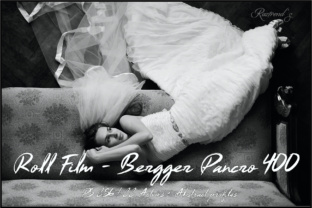
In the pursuit of authentic black and white photography within a digital workflow, the emulation of specific film characteristics presents a unique challenge. The introduction of Roll Film - Bergger Pancro 400 Actions and Script provides a targeted solution for photographers and image creators seeking to replicate the distinct tonal qualities and grain structure of a notable physical film. This digital toolset is designed to integrate the aesthetic of BERGGER Pancro 400 directly into Adobe Photoshop, offering a bridge between modern digital capture and classic photographic texture.
The Foundation: Understanding Bergger Pancro 400 Film
To appreciate the value of these Photoshop actions, one must first understand the source material they aim to emulate. Introduced in 2015, BERGGER Pancro 400 is a black and white roll film with a unique composition. It is a two-emulsion film, composed with silver bromide and silver iodide, where the emulsions differ by the size of their grain. This technical property contributes to its wide exposure latitude, allowing for flexibility during capture. When processed in various developers, this film exhibits outstanding results in terms of grain size, detail rendition, and greyscale reproduction. The digital actions seek to capture this specific spectral response and physical texture, translating it into a usable profile for pixel-based images.
Core Components of the Actions Package
The package is more than a simple set of filters; it is a comprehensive system for applying a consistent film look. Users receive an Actions (.atn) file compatible with Photoshop CS6 through CC2018 and later. A critical element is the included Bergger Grain texture JPEG, measuring 4000 x 2592 pixels, which provides the authentic granular overlay. A JSX Script facilitates the application of this texture, automating the process. For color management, Abstract profiles (.icc) are included, allowing for calibrated conversion. Detailed guidance is provided in an "Installing and Using Actions and Abstract Profiles" PDF document. It is important to note the compatibility: the actions work in the English version of Adobe Photoshop, in RGB, CMYK, and LAB color spaces, but are not compatible with Photoshop Elements. Users of non-English versions can utilize the Abstract profiles independently.
Practical Applications in Digital Image Processing
The primary use case for these tools is in post-processing digital photographs or scanned images to impart the specific aesthetic of Pancro 400 film. This goes beyond generic desaturation or contrast adjustment. The actions package includes specialized profiles that simulate the effect of traditional black and white filters used with this film type, each serving a distinct creative purpose.
- Pancro 400 Green Filter for Greenery and Flowers: This profile enhances the rendition of foliage and botanical subjects, mimicking how a green filter would alter tonal separation on the physical film.
- Pancro 400 Orange Filter for Portraits: Designed for portrait work, this action aims to produce smoother skin tones and favorable contrast, replicating the flattering effect of an orange filter.
- Pancro 400 Red Filter Dramatic effect: For scenes requiring heightened drama and stark contrast, such as architectural or landscape shots with strong skies, this profile delivers a deep, impactful tone.
- Pancro 400 Yellow Filter Sky Enhancer and Seascapes: This option is tailored for managing sky tonal values in seascapes and outdoor scenes, providing a natural darkening effect without overly distorting other elements.
- Add Grain: A fundamental action that applies the included high-resolution grain texture, crucial for achieving the organic, non-digital noise characteristic of the film.
Integration into a Professional Workflow
For professionals in photography, graphic design, or even film restoration, this toolset can standardize a specific vintage or classic look across a project. An educator might use it to demonstrate the tangible differences between film stocks in a digital classroom environment. A hobbyist with an interest in film photography but without access to darkroom facilities can experiment with the nuances of Pancro 400's dual emulsion response. The workflow typically involves running the JSX script to apply the base texture, then selecting the appropriate filter action based on the image subject matter and desired emotional tone. The process respects the original digital file's integrity while overlaying the film's character.
Characteristics and Advantages of the Emulated Look
The advantage of using a dedicated action set like this, rather than manually attempting to recreate a film look, lies in consistency and accuracy. The grain texture is not a generic noise pattern; it is derived from the actual film's structure. The Abstract profiles are built to replicate the film's spectral sensitivity, meaning they process colors from the original RGB image into greyscale in a manner specific to Pancro 400. This results in a greyscale rendition that prioritizes detail and tonal separation across a wide range, reflecting the film's noted exposure latitude. The final images exhibit a particular grain size hierarchy and mid-tone richness that can be difficult to achieve through subjective tweaking.
Considerations for users include the prerequisite of an English-language Adobe Photoshop installation for full functionality. The workflow also requires an understanding of when to apply each filter profile; misuse, such as applying a red filter effect to a portrait, could yield unnatural results. The tool is not a one-click magic solution but a specialized instrument that benefits from user knowledge of traditional black and white filter photography principles.
Real-World Relevance for Diverse Creators
The relevance of these actions extends beyond nostalgic emulation. In commercial contexts, a brand seeking a "authentic," "crafted," or "historic" visual identity for a campaign could employ this look to differentiate its imagery from clean, digital stock. Researchers or archivists enhancing historical documents or artworks might use the grain and profile to match the aesthetic of accompanying period photographs. The ability to work in CMYK color space means the look can be integrated into print design workflows for books, magazines, or posters, ensuring consistency from screen to printed page. It democratizes access to a specific, high-quality film aesthetic that might otherwise require significant investment in physical materials, development, and scanning.
By focusing on the emulation of a single, well-defined film stock, Roll Film - Bergger Pancro 400 Actions and Script offers a depth of simulation that broader "film look" plugins often lack. Its value is in its specificity. The package provides not just an effect, but a reproducible process anchored in the technical attributes of the original BERGGER product. For anyone in the broad spectrum of image creation—from the professional photographer refining a portfolio to the hobbyist exploring photographic history—this toolset provides a direct, practical path to incorporating the distinct greyscale, grain, and tonal personality of Bergger Pancro 400 into a modern digital practice.