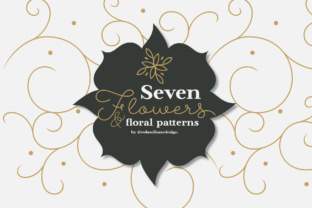
A Practical Guide to Using the 7 Flowers and Floral Patterns Vector Pack
Whether you're designing a logo for a new boutique, creating bespoke wedding invitations, or developing product packaging for a skincare line, floral graphics offer a timeless touch of elegance. The 7 Flowers and Floral Patterns collection—a set of seven distinct flower and floral pattern vectors available in AI, EPS, and SVG formats—is designed specifically for this kind of versatile project work. It promises a foundation of beautiful, editable graphics that can be combined, customized, and colored to suit nearly any visual need. The promise of such flexibility is incredibly attractive, but it’s precisely where many creators, from beginners to seasoned professionals, can stumble if they don't approach the resource with a clear strategy.
The Overlooked Pitfall of Preset Color Assumptions
A common initial mistake is to assume the vectors will only work in their default or shown color schemes. Many download a floral pack, see the preview images, and immediately try to force their project to conform to those colors. This leads to clashing palettes and a design that feels disjointed from the rest of their brand or concept. The strength of the 7 Flowers and Floral Patterns files lies in their fully editable paths. Every stem, leaf, and petal can be recolored with a single click in your vector software.
A better approach is to start from your project’s established color palette. Before even opening the vector files, define the primary and secondary colors you need to use—perhaps your brand’s signature hues or the tones of a specific event. Then, import the floral elements and recolor them to align with this palette first. This ensures the graphics integrate seamlessly as a custom part of your design, not a pre-made sticker that’s been pasted on.
Misunderstanding Scalability and File Format Choice
Another frequent oversight is not leveraging the true scalability of vector files, or choosing the wrong file format for the task. These are not static images; they are mathematical equations defining shapes. This means you can scale the smallest bud to billboard size without any loss of quality, a feature crucial for applications like logos that need to work on a business card and a store sign, or wallpapers that must fit various screen resolutions.
However, the provided formats—AI, EPS, and SVG—each have optimal use cases. Using an AI file in a web application might add unnecessary complexity, while an SVG might not be the best starting point for a complex multi-layer embroidery digitization project. Before diving in, check your final output. For web use (like site graphics or online card templates), SVG is ideal. For professional print (greeting cards, product labels), EPS or AI is often preferred by printers. For software like embroidery programs, check which format imports most cleanly. Knowing this saves time and prevents last-minute format conversion issues that can sometimes introduce artifacts.
Combining Elements Without a Cohesive Vision
The ability to combine the seven different flowers and patterns is a fantastic feature, but random combination usually results in a busy, confusing design. People often use too many different floral elements together, creating visual competition rather than harmony. This affects the professionalism of the final product, making a greeting card look chaotic or a product label hard to read.
Treat each flower and pattern as a modular component. Start with a focal point—perhaps one distinctive flower from the set for your logo’s centerpiece. Then, add a simpler, complementary floral pattern as a subtle border or background texture, ensuring it uses the same color family and doesn’t overpower the main element. Limit yourself to two or three elements from the pack per design. This disciplined approach creates a balanced, intentional look that feels custom-made.
The Critical Step: Checking Edibility Before Commitment
A surprisingly common error is to download a vector pack and immediately begin a project without verifying the actual editability of the files. Some vectors are poorly grouped, have locked layers, or contain unnecessary clipping masks that hinder customization. This can grind your workflow to a halt, especially under time pressure.
Always perform a quick audit upon opening the files. In your design software, check if you can easily select individual petals, change stroke widths, or ungroup elements. Can you isolate a single flower from a pattern? This few-minute check is crucial. If the files are well-structured, you have immense freedom. If they’re problematic, you know early and can seek alternative methods or a different resource, avoiding wasted effort on a project that becomes technically frustrating.
Practical Applications and Avoiding Context Mismatch
The suggested applications—products, embroidery, greeting cards, logos, wallpapers—are excellent, but a mistake is to use the same floral treatment for all contexts without adjustment. A dense, intricate floral pattern might look stunning as a wallpaper background but would become illegible if used behind text on a greeting card or would be impossibly complex for small-scale embroidery.
Consider the medium’s constraints. For embroidery, simplify: use one bold flower outline with limited color changes. For a logo, streamline and perhaps use a monochromatic version for maximum versatility. For wallpapers, you can afford more complexity and combination. Tailor the complexity, color contrast, and scale of the floral elements to the physical or digital medium’s requirements. This attention to context ensures your final product is not just beautiful, but also functionally effective.
Finally, remember the creative invitation extended with these graphics: "Happy Creating." The fonts mentioned, Abigail Script and Beaumaris, hint at the aesthetic—romantic, elegant, classic. Your use of the 7 Flowers and Floral Patterns should follow that spirit. Don’t just drop the graphics in; use them as a starting canvas. Change colors, adjust scales, combine sparingly, and always align them with your project’s core vision. By avoiding these common pitfalls of assumption, format misuse, over-combination, and skipped checks, you transform a useful vector pack into a truly custom design asset that elevates your work across any medium.